Nodes 2.0 is now available in ComfyUI Desktop, portable, and stable releases. This update transitions the node system from LiteGraph.js Canvas rendering to a Vue-based architecture, unlocking faster iteration and richer interactions.Documentation Index
Fetch the complete documentation index at: https://dripart-mintlify-e28287af.mintlify.app/llms.txt
Use this file to discover all available pages before exploring further.
Why this change?
The previous Canvas rendering system had become a development bottleneck. Even small UI changes often required deep modifications and could take days to implement. This slowed the ability to respond to community feedback and made node customization difficult for developers. The new Vue-based system enables:- Faster feature development - UI changes can be implemented more quickly
- Richer interactions - Dynamic widgets, expandable nodes, and better components
- A more flexible foundation - Better support for future tools and customization
Current status and known issues
We’re actively working on improvements and want to be transparent about current limitations:| Area | Status |
|---|---|
| Performance | Still optimizing toward Canvas-level performance. Certain scenarios may behave differently. |
| Compatibility | Some custom nodes may require updates to be fully supported. |
| Edge cases | At extreme zoom levels or within very large workflows, minor visual issues may appear. |
How to try it
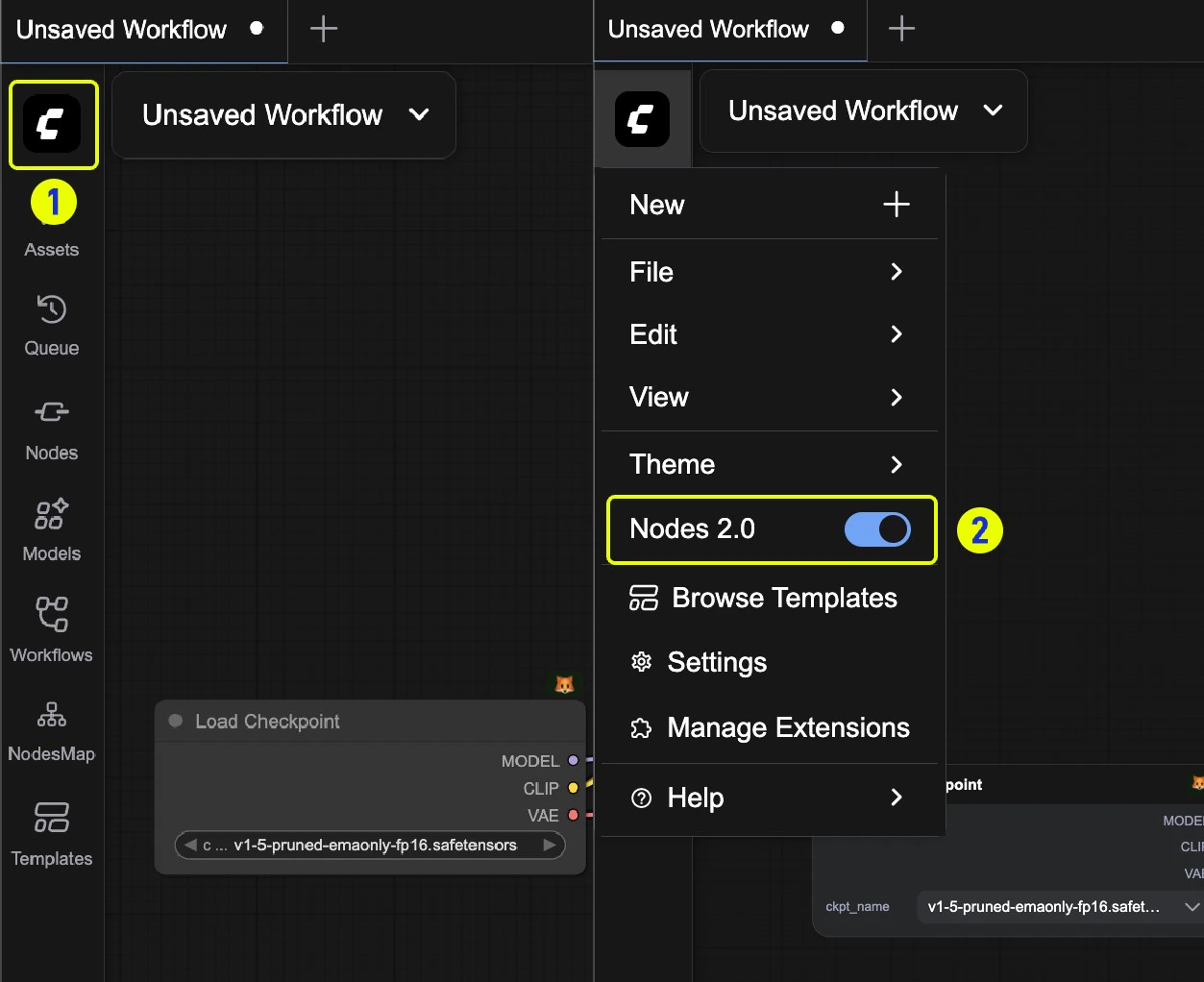
Enable Nodes 2.0
- Visit cloud.comfy.org or update to the latest version of ComfyUI Desktop, portable, or stable release
- Click Try it out on the top banner when you launch ComfyUI
What to test
Use Nodes 2.0 in your daily workflows and share feedback with us:- Basic interactions - Dragging, resizing, selecting
- Daily workflows - Execution, parameters, custom nodes
- Performance - Especially with complex workflows
How to provide feedback
Encountered issues or have suggestions for interaction improvements?- Support center - ComfyUI Help Center
- GitHub issues - Create an issue in ComfyUI_frontend
Switching back
If you encounter issues:- Click on the ComfyUI logo to open the menu
- Toggle Nodes 2.0 to switch back to the previous interface