

Your Comfy account gives you access to partner nodes (API node) and cloud subscriptions, enabling you to use premium features and services across the ComfyUI platform.Documentation Index
Fetch the complete documentation index at: https://dripart-mintlify-e28287af.mintlify.app/llms.txt
Use this file to discover all available pages before exploring further.
Creating a Comfy account on Comfy Cloud
You can create a Comfy account for ComfyUI directly on Comfy Cloud:- Navigate to Comfy Cloud
- Click Sign up or Create account
- Choose one of the following login methods:
- Email: Enter your email address and create a password
- Google: Sign up with your Google account
- GitHub: Sign up with your GitHub account
- Complete the registration process
- Verify your email if using email registration
Creating a Comfy account locally
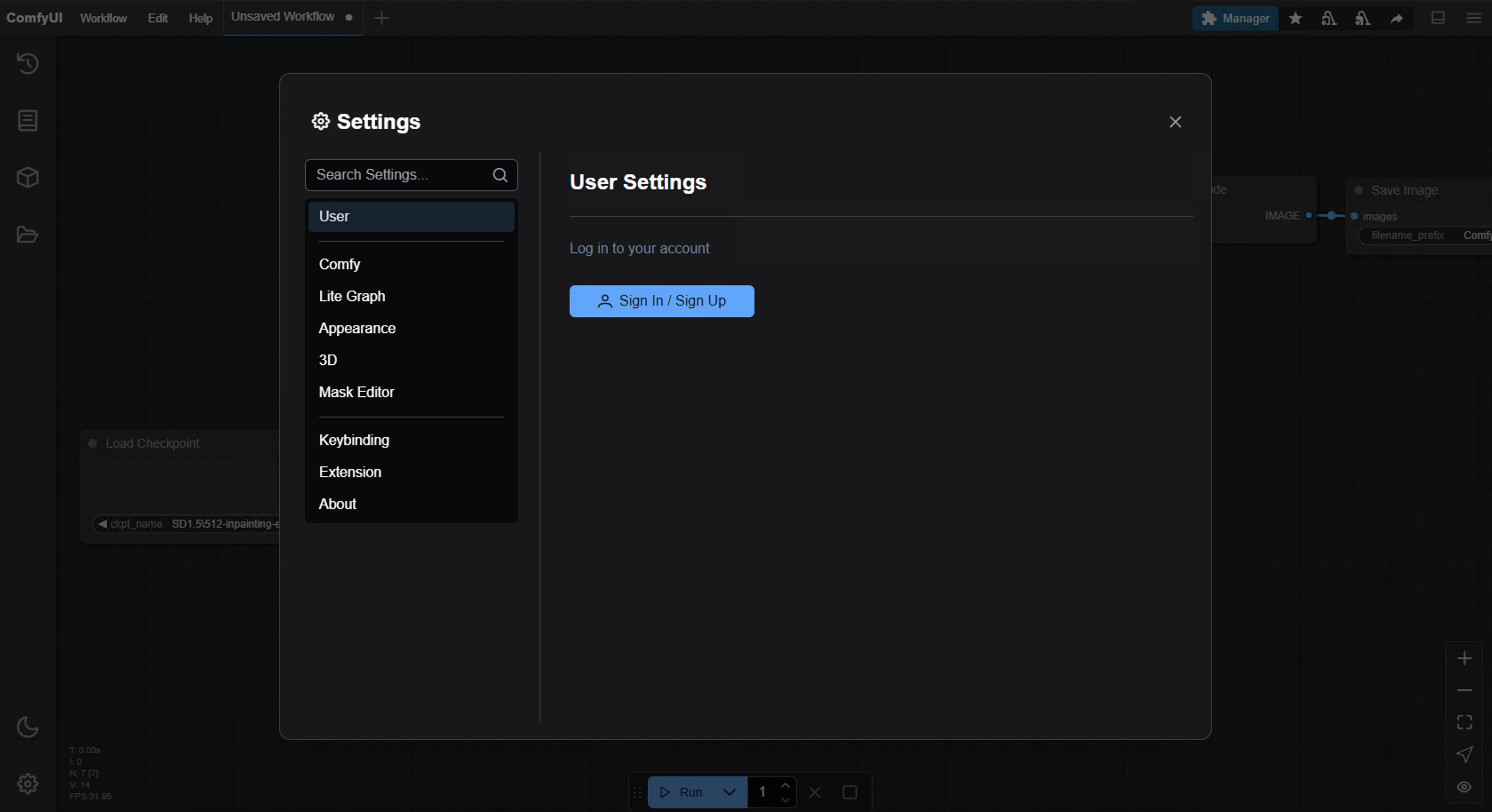
If you have ComfyUI installed locally, you can create a Comfy account through the application:- Open ComfyUI on your local machine
- Navigate to Settings in the interface
- Go to the User section (see User settings for details)
- Click Create account or Sign up
- Choose one of the following login methods:
- Email: Enter your email address and create a password
- Google: Sign up with your Google account
- GitHub: Sign up with your GitHub account
- Complete the registration process
Next steps
Once your account is created and verified:- Log in to your account
- Set up your profile preferences
- Start using ComfyUI features
- Explore tutorials and documentation
Troubleshooting
If you encounter issues during account creation:- Ensure your email address is valid and not already registered
- Check that your password meets the minimum requirements
- Clear your browser cache and try again
- Contact support if problems persist