

Documentation Index
Fetch the complete documentation index at: https://dripart-mintlify-e28287af.mintlify.app/llms.txt
Use this file to discover all available pages before exploring further.
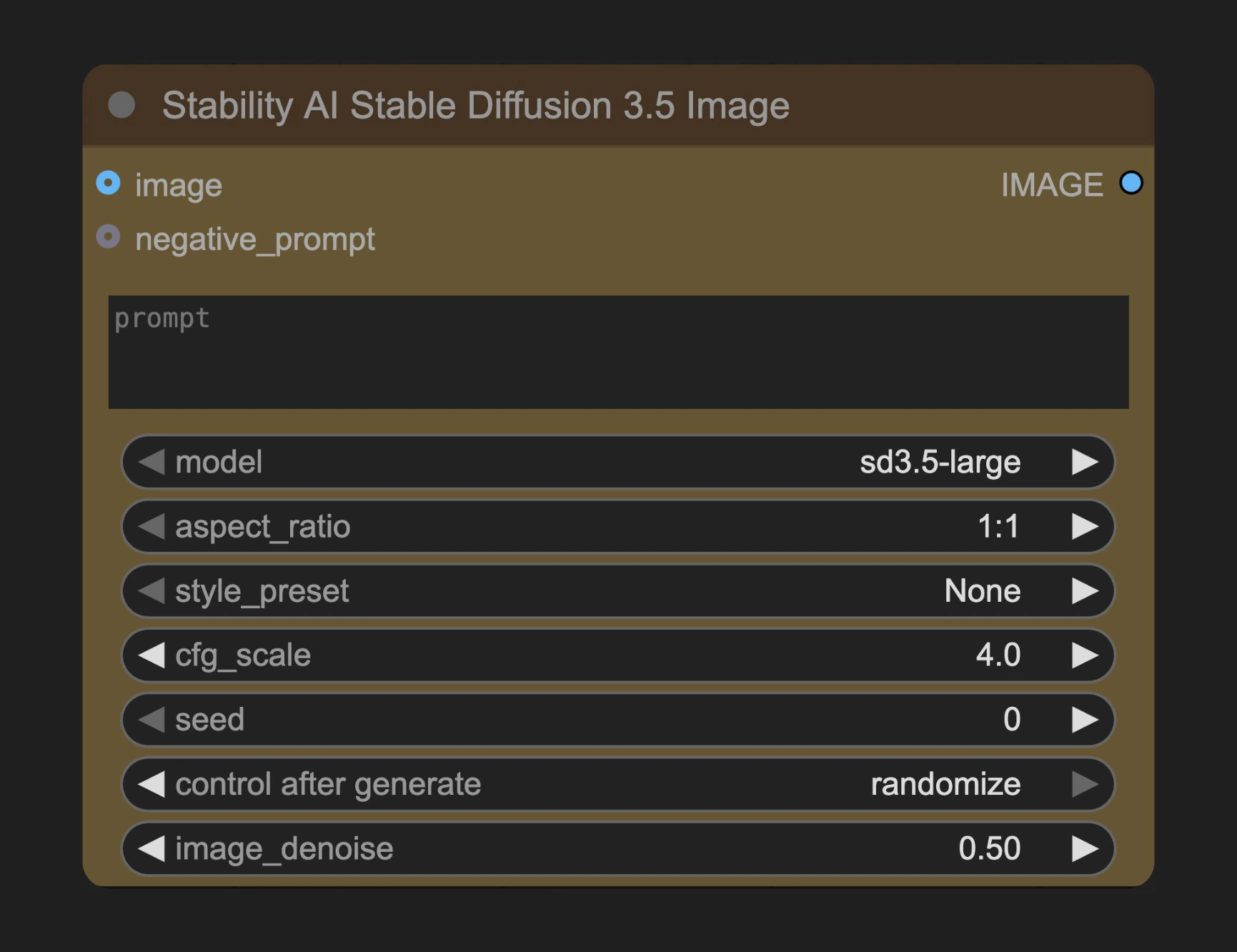
Parameters
Required Parameters
| Parameter | Type | Default | Description |
|---|---|---|---|
| prompt | string | "" | What you want to see in the output image. Strong, descriptive prompts that clearly define elements, colors and themes will yield better results |
| model | select | - | Choose which Stability SD 3.5 model to use |
| aspect_ratio | select | ”1:1” | Width to height ratio of generated image |
| style_preset | select | ”None” | Optional preset style for the desired image |
| cfg_scale | float | 4.0 | How strictly the diffusion process adheres to the prompt text (higher values keep your image closer to your prompt). Range: 1.0 - 10.0, Step: 0.1 |
| seed | integer | 0 | Random seed for noise generation (0-4294967294) |
Optional Parameters
| Parameter | Type | Default | Description |
|---|---|---|---|
| image | image | - | Input image. When provided, the node switches to image-to-image mode |
| negative_prompt | string | "" | Keywords of what you don’t want to see in the output image. This is an advanced feature |
| image_denoise | float | 0.5 | Denoising strength for input image. 0.0 yields image identical to input, 1.0 is as if no image was provided at all. Range: 0.0 - 1.0, Step: 0.01. Only effective when image is provided |
Output
| Output | Type | Description |
|---|---|---|
| IMAGE | image | Generated image |
Usage Example
Stability AI Stable Diffusion 3.5 Image Workflow Example
Stability AI Stable Diffusion 3.5 Image Workflow Example
Notes
- When an input image is provided, the node switches from text-to-image mode to image-to-image mode
- In image-to-image mode, aspect ratio parameters are ignored
- Mode selection automatically switches based on whether an image is provided:
- No image provided: text-to-image mode
- Image provided: image-to-image mode
- If style_preset is set to “None”, no preset style will be applied